
Case study · Website design and Google Ads
Case Study: Starlink Ready TX, From a Wix Page to a Site Built to Book Installs


Starlink Ready TX installs Starlink dishes across Central Texas. They came to us with a four-page Wix site. We built a new nine-page website on its own domain, with a page for each service, quote forms, an install assistant, ad landing pages and call tracking, and we set up their Google Ads. It went live in September 2026.
No contract. No exit fee. Your domain and Google accounts stay in your name.

Esteban Padilla has been mounting equipment and running cable for more than 20 years. His business, Hide My Cables, installs Starlink dishes for homes, ranches and shops, and he does every job himself.
The work was good. The website was small. It had four pages, a call button and a few photos, and it said very little about the jobs people actually search for: roof mounts, hidden cable runs and Wi-Fi that reaches the barn.
Where they started
The old site ran on Wix at hidemycablestx.com. It did the basics well enough: a clear headline, a Call or Text button, a short About page and a photo gallery.
But one page had to cover everything. When someone searched for a Starlink roof mount or hidden cable routing, Google had no page to match that search. And the code behind the site told Google little more than the business name.
What they asked for
Three things came up again and again in our first conversations.
- More Starlink installation jobs, from people ready to hire, not people looking for a how-to video.
- A web address with Starlink in it, so the name matches what people type into Google.
- Google Ads that bring calls from the parts of Texas Esteban actually drives to.
What we built
A new site at starlinkreadytx.com, under the name Starlink Ready TX, a service of Hide My Cables LLC. Nine pages instead of four, and every one of them has a job.
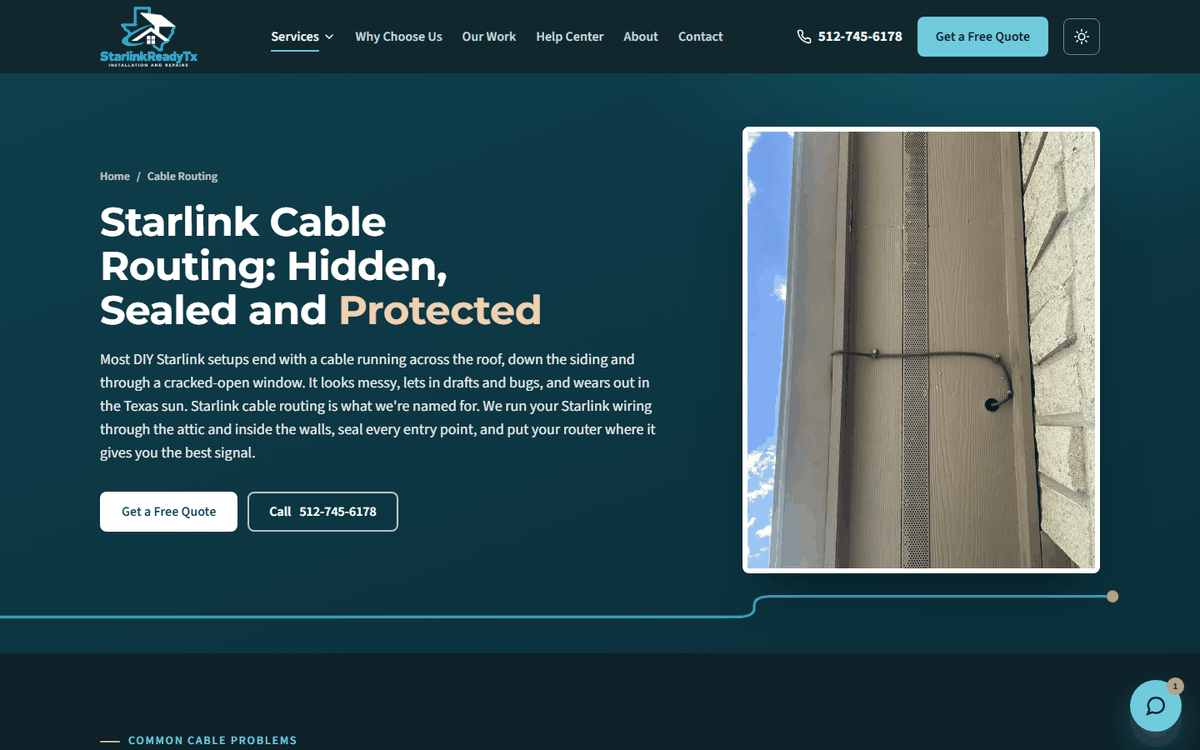
- A page for each main service: mount installation, hidden cable routing, and Wi-Fi for the whole property. Each one is written around the words people type into Google for that job.
- Quote forms that email Esteban within seconds and save a copy to a Google Sheet, so no request gets lost.
- Tap to call or text on every page.
- Skye, an install assistant that answers common questions day and night, then points people to a quote or a call.
- A Starlink vs. your internet calculator that compares a visitor’s current internet with Starlink in four quick questions.
- Proof: a gallery of 19 real install photos, and real Google reviews.
- A Help Center with 68 questions answered across the site.
Starlink Ready TX is an independent installer. It isn’t affiliated with Starlink or SpaceX, and the site says so in its footer.
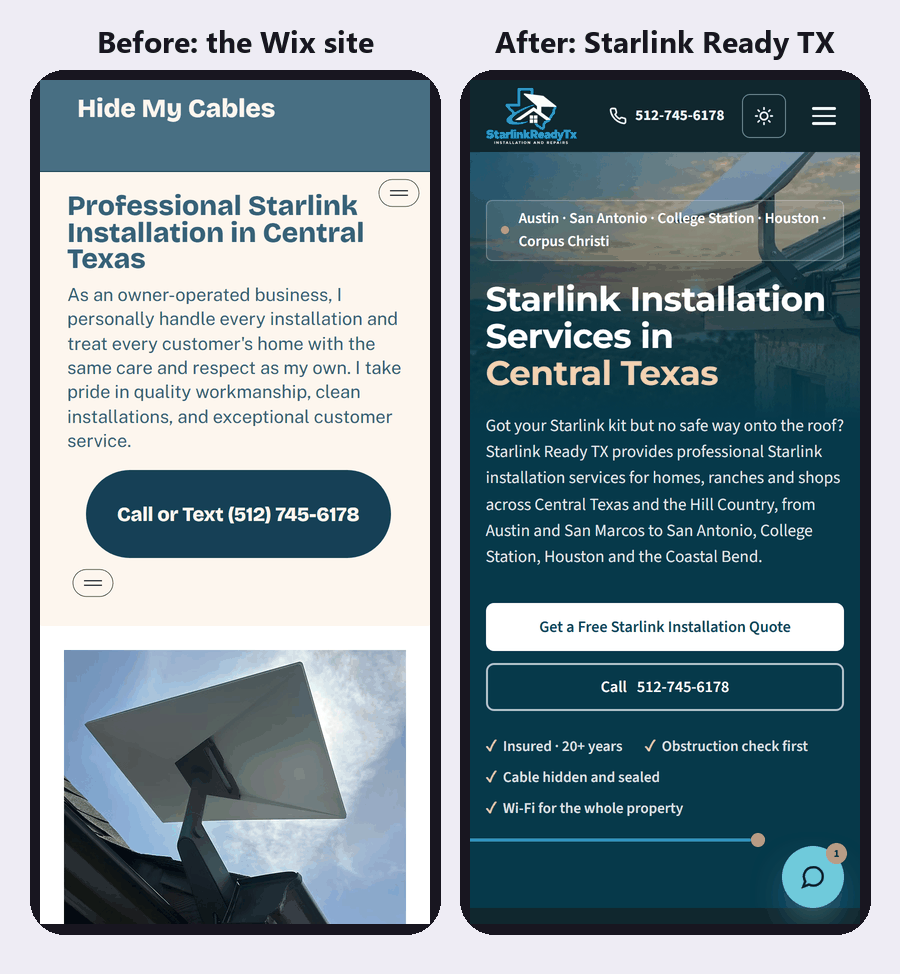
Lighter and faster on a phone
Most people look for an installer on their phone, often while standing in the yard staring at the roof. So we loaded both home pages the way a phone does, with nothing saved from an earlier visit, and counted what each one downloads.
| Old Wix site | New site | |
|---|---|---|
| Files downloaded | 171 | 32 |
| Data downloaded | 1.63 MB | 0.61 MB |
| Pages on the site | 4 | 9, plus 2 ad pages |
At launch, Google’s free PageSpeed Insights test scored the new home page 100 for performance, accessibility, best practices and SEO, on phones and on computers. The security test at Qualys SSL Labs gives it an A. You can run both on any site, including yours.
How we measured the first two rows: Chrome’s phone mode, first screen only, nothing cached. Your own numbers will move with your connection.
Built for Google to read
Every page carries structured data: labels in the code that tell search engines what the business is, where it works and what each page answers. The old site’s code only gave Google the site’s name.
- The business details, hours and every county served
- A service entry on each service page
- 68 questions marked as FAQs
- Breadcrumbs, a sitemap and one official address for every page
Google Ads, set up to count real enquiries
Alongside the site, we set up Google Ads for people searching for a Starlink installer in the parts of Texas Esteban serves. Searches from people who want to install it themselves stay out of the paid budget.
The ads send people to two landing pages with no menu to wander off into. Both lead with a $30 discount for seniors, military, veterans and first responders, and put the quote form in the first screen.
Every quote form sent, and every tap on the phone number, the text link or the email link, is counted as a conversion. So the account can see which ads bring in enquiries, not just clicks.
What happens next
The site went live at the end of September 2026, so it’s too early for lead numbers. We’ll add them here once there’s a full month of data.
Next on the list: the Google Business Profile matched to the new name and site, a review request after every install, and new job photos as they come in.
Questions about this project
How long did the project take?
About two weeks from the strategy brief to launch day. What sets the pace on any build is how fast the photos, prices and answers come back from the owner.
Why move off Wix?
Wix is fine for plenty of businesses. Here the goal was a fast site with a page for every service, custom tools like the calculator and the install assistant, and full control over tracking and the code Google reads. Building it fresh made all of that simpler.
We build on WordPress, Squarespace and Wix too, and we’ll tell you honestly whether to keep the site you have.
What does a website like this cost?
Websites start at $695 for a 1 to 2 page site. A site like this one, with a page for each service and town, is priced by the number of pages, and every package is on our pricing page. See how we build websites, or contractor websites if you work in the trades.
Abdullah Mahdi
Founder of Visible Owl. Leads SEO, AI search (GEO and AEO) and website development, and has built and ranked websites for small businesses since 2015.
Sources
Want more answers like this?
Add Visible Owl as a preferred source on Google, and our articles show up more often in your Top Stories and AI answers.
Button not showing? Add Visible Owl on Google.